Withdrawing A Listing
How to withdraw a listing & what's the protocol

Oliver Conway
Last Update 3 months ago
There are a couple of things to consider when with drawing a listing.
Taking a listing off the market, and cancelation of the agency agreement are two different things.
We can take a listing off the market, but still have an active agency agreement in place. In this instance, submit a ticket above or engage our support team using the live chat, advise the situation and one of the support staff will put the listing back into "Pre Market" for you. You will not be able to do this on your own.
If our agency agreement is coming to an end of is being cancelled, you can withdraw the listing in your app using the instructions below.
How to withdraw a listing
In your Arizto app
1. Navigate to the listing
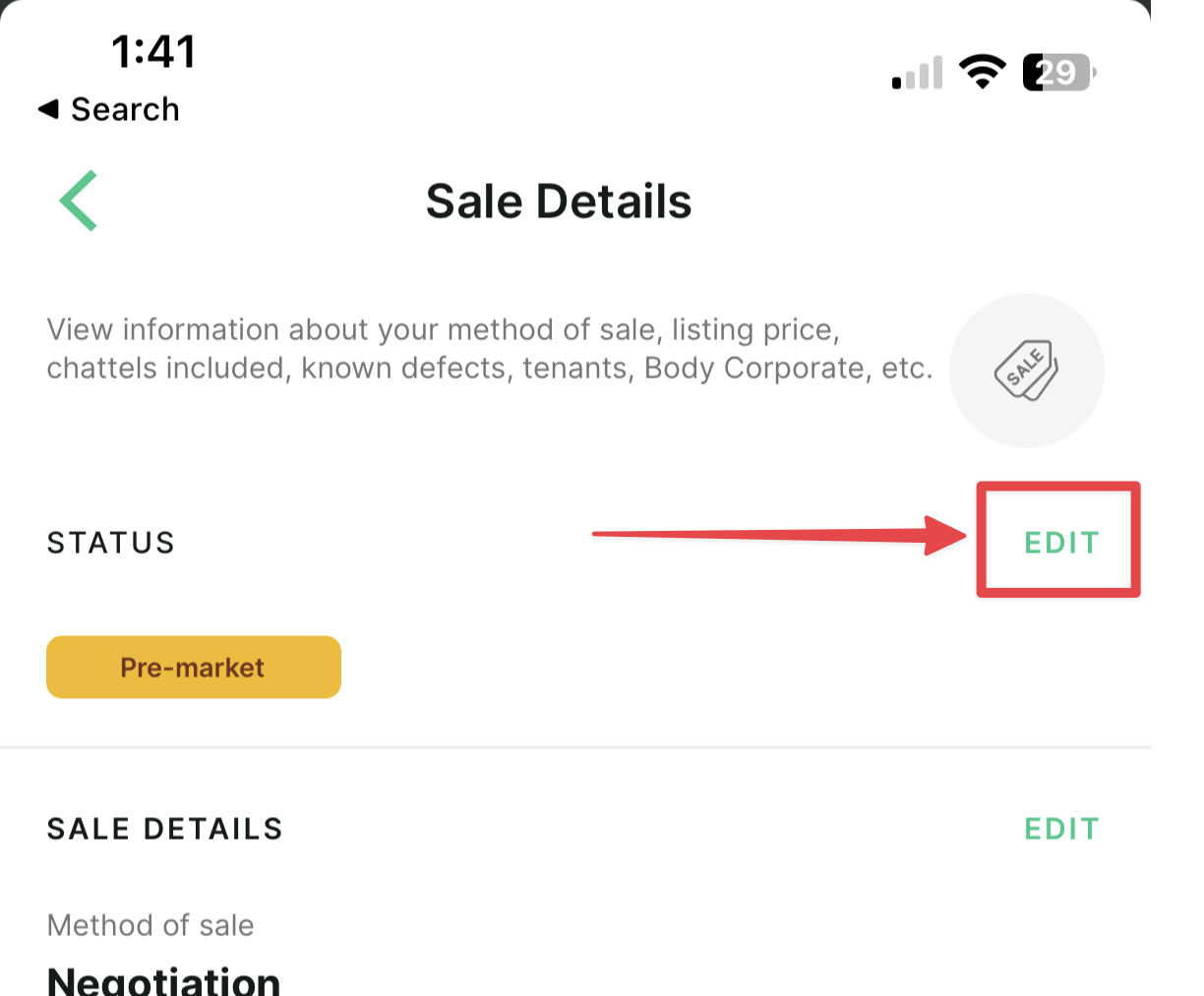
2. Scroll down to "Sale Details"
3. Click "Edit"
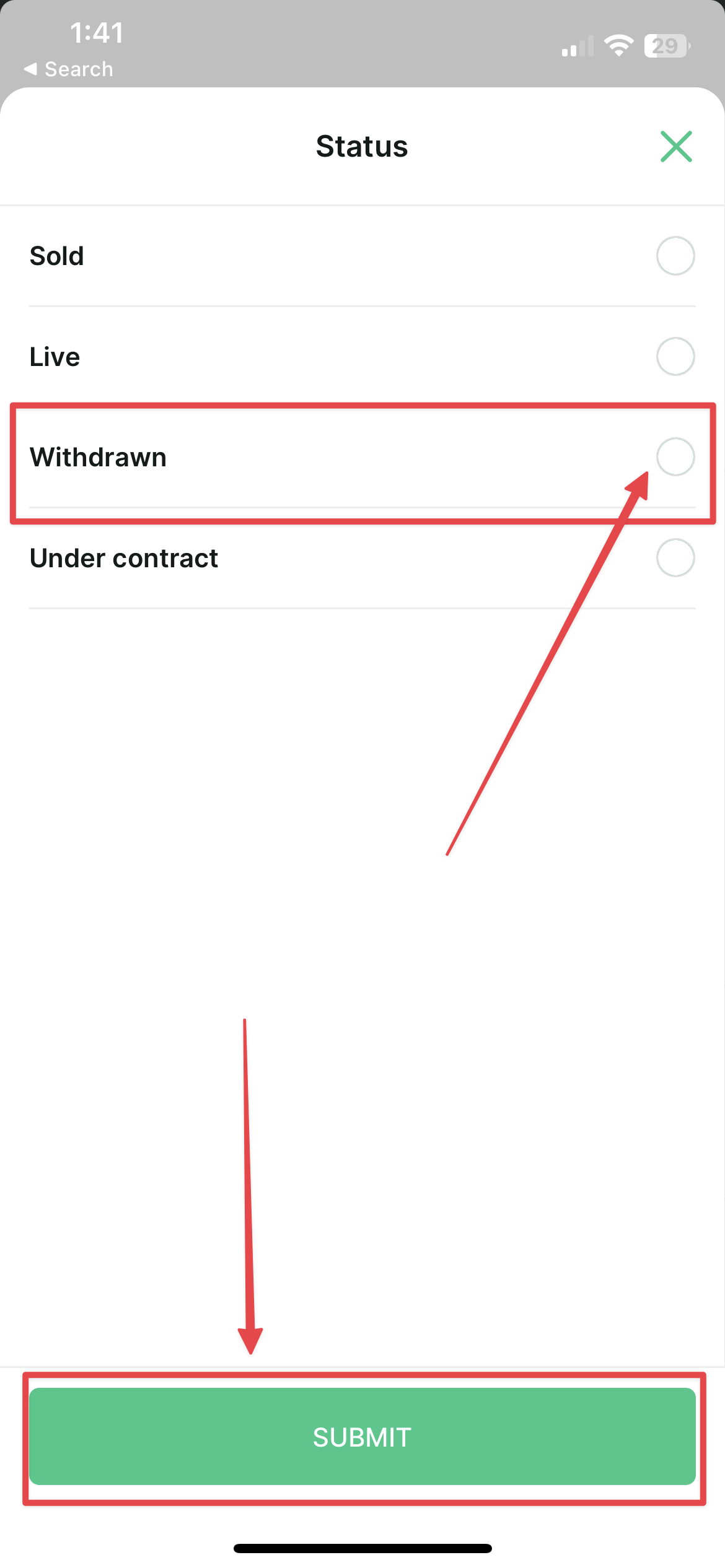
4. Change the status of the listing to "withdrawn" or "sold"
5. Click "Submit"